


A change order is a written, signed amendment that officially updates your remodeling contract’s scope, cost, or schedule. Once both you and your contractor sign it, it carries the same legal weight as the original contract. When a change comes up on your project, do these three things immediately: document the issue in writing (a photo, a dated note, or a formal Request for Information), refuse any verbal approvals, and ask your contractor for a written Proposed Change Order with pricing before a single nail is driven.
Never accept an unpriced directive or a handshake agreement. Oral changes are not enforceable as formal contract modifications. If your contractor insists on starting work before a price is agreed, note your compliance under protest in writing and request a formal change order the same day.
- Document the issue immediately with photos, dates, and a written description.
- Refuse verbal approvals — require a signed, dated document every time.
- Ask for a written PCO (Proposed Change Order) with full pricing before work proceeds.
Pro Tip: Set a rule in your contract that no change order is valid without both parties’ signatures and a date. That single clause prevents most disputes before they start.
Key Takeaways
A signed, dated change order is a legally binding contract amendment — insist on one before any out-of-scope work begins, every time.
| Point | Details |
|---|---|
| Sign before work starts | No verbal approvals; require a signed, dated CO or PCO before any additional work proceeds. |
| Require full itemization | Every CO must include a line-by-line cost breakdown with labor, materials, and subcontractor quotes. |
| State time impacts explicitly | Document calendar days added or “zero days” in every CO to prevent delay disputes later. |
| Keep a live CO log | Reconcile the running adjusted contract total with your contractor at every progress meeting. |
| Reserve a contingency | Set aside 10–15% of total project cost for changes and release it only against signed change orders. |
| Jaghomesnow’s approach | Jaghomesnow delivers itemized PCOs within 24 hours, a shared CO log, and signed documentation before work begins. |
Table of Contents
- What is a change order in construction, and why does it matter on remodeling projects?
- What triggers remodel change orders, and what types should you expect?
- What is the difference between a change order and a change directive?
- How does the change order process work step by step in remodeling?
- What should every change order include, and what does a sample look like?
- How are change orders priced, and how can you negotiate fairly?
- How do you handle schedule impacts in a change order?
- What daily practices reduce change order disputes?
- What should you do when a change order becomes a dispute?
- How JAG Home Enhancements manages change orders on your project
- Three rules that prevent most change-order headaches
- Jaghomesnow brings transparent change-order discipline to every project
- Sources
What is a change order in construction, and why does it matter on remodeling projects?
AIA Contract Documents defines a change order as a written instrument signed by the Owner, Contractor, and Architect that states agreement on the change in the work, any adjustment to the Contract Sum, and any adjustment to the Contract Time. Those three elements, drawn from AIA A201 (General Conditions of the Contract for Construction), are non-negotiable. If any element is unaffected by the change, the document should still state it explicitly as zero.
The standard execution form for this process is the AIA G701, a one-page document with signature lines for all three parties and fields for each of the three required elements. Many residential remodeling contracts reference G701 or use a similar format. The key requirement is that the document is dated and signed before new work begins.
On remodeling jobs specifically, the stakes are higher than on new construction. Hidden conditions are common: open a wall in a 1960s Bucks County colonial and you may find knob-and-tube wiring, undersized joists, or water-damaged framing that no one could have anticipated. A signed change order for each discovery protects your payment schedule, prevents disputes over who owes what, and creates a clear paper trail if a permit inspector asks questions. Without that documentation, you and your contractor are left arguing over memory.
What triggers remodel change orders, and what types should you expect?
Most change orders on residential remodeling projects fall into one of three categories: additive (adds scope, cost, or time), deductive (removes scope and credits the owner), or time-impact (adjusts the completion date without necessarily changing the price). Knowing which type you’re dealing with shapes how you negotiate and document it.
Common triggers include:
- Concealed conditions: rot, mold, outdated wiring, or undersized structural members discovered after demolition begins. These are the most frequent source of surprise costs on older homes.
- Owner-directed upgrades: you decide mid-project to swap laminate countertops for quartz, or add a tile shower niche that wasn’t in the original drawings.
- Design omissions: the plans didn’t specify how a transition detail would be handled, or a dimension was missing, requiring a field decision that costs money.
- Code and permit changes: an inspector requires an upgrade (GFCI outlets, smoke detector placement, egress window sizing) that wasn’t part of the original scope.
- Material shortages or substitutions: a specified product is backordered and the replacement costs more.
- Weather or force majeure: an extended delay forces re-mobilization costs.
Who initiates the change matters for documentation. Owner-directed changes should be requested in writing so the contractor can price them properly. Contractor-initiated changes (concealed conditions, code triggers) require the contractor to issue a formal notice and PCO promptly. Architect-initiated changes come with a written instruction that the contractor then prices. In each case, the paper trail starts at the moment the issue is identified.
What is the difference between a change order and a change directive?
A Construction Change Directive (CCD) is a unilateral written instruction from the owner (or architect on the owner’s behalf) telling the contractor to proceed with a change before the price and time impact are agreed upon. It is not a mutual agreement. The AIA A201 framework recognizes CCDs as a legitimate tool when time is critical and the parties cannot agree on price quickly enough, but it comes with real risks for both sides.
For homeowners, a CCD means you’ve authorized work without knowing the final cost. For contractors, it means performing work without a signed price agreement, which creates cash-flow exposure. Industry guidance is clear: when a CCD is issued, the contractor should record all hours and materials contemporaneously, capture daily logs, and preserve supplier and subcontractor quotes so pricing can be justified during later negotiation.
If your contractor hands you a CCD or asks you to sign one, take these steps:
- Note in writing that you are complying under protest if the price is not yet agreed.
- Require the contractor to log all time and materials daily.
- Photograph the work in progress as evidence of scope.
- Follow up immediately with a formal PCO to convert the directive into a signed change order once pricing is confirmed.
The goal is always to convert a CCD into a fully executed change order as quickly as possible.
How does the change order process work step by step in remodeling?
Datagrid’s construction guide outlines the standard workflow: identification and notice, proposed change (PCO), pricing, approval and execution, and integration into payment applications. Here is how each stage plays out on a remodeling project.
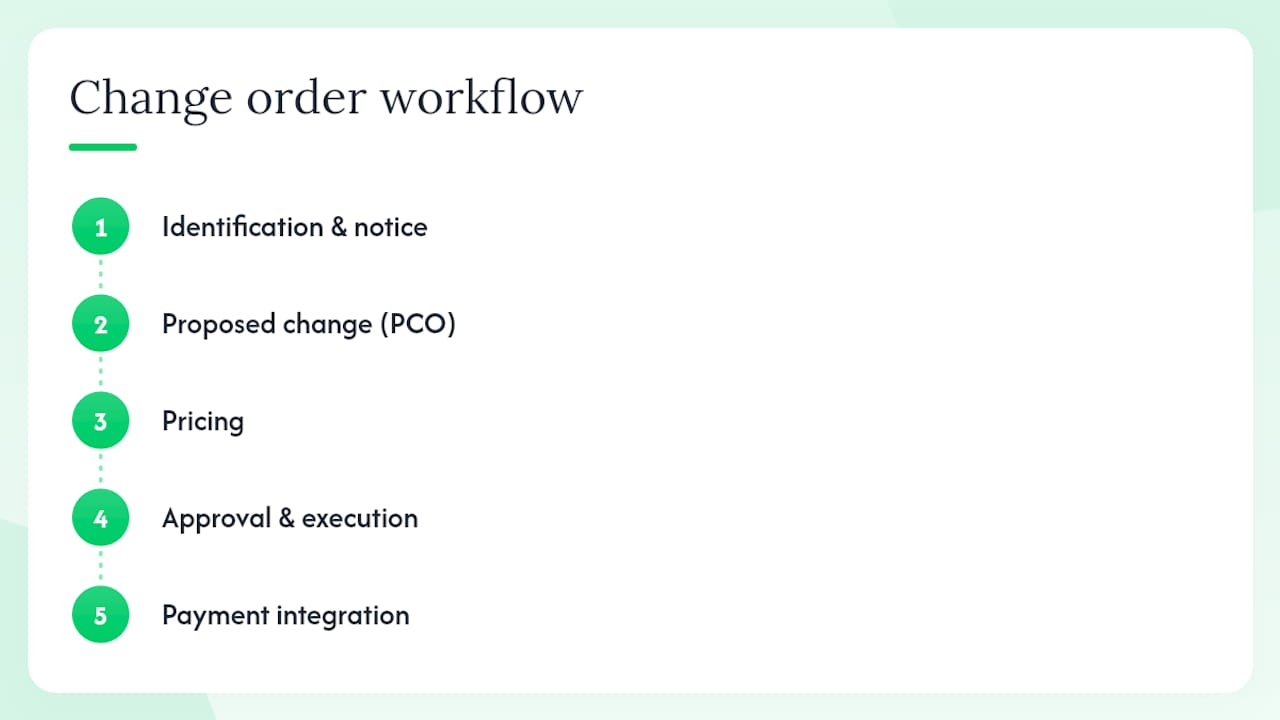
Identification and notice
The moment a potential change is identified, whoever spots it (contractor, subcontractor, or homeowner) documents it. That means a dated photo, a written field note, or a formal RFI (Request for Information) submitted to the architect or designer. Your contract likely specifies a notice window, often 7 to 14 days. Missing that window can forfeit your right to additional compensation.
Proposed Change Order (PCO)
The contractor prepares a PCO: a written estimate that describes the proposed change in scope, the estimated cost impact, and the estimated time impact. As a homeowner or project manager, you should request backup documentation with every PCO, including itemized labor and material costs, subcontractor quotes, and any photos or drawings that justify the change.
Pricing
This stage is where the numbers get locked in. The contractor calculates hard costs (materials, labor hours, subcontractor fees), soft costs (permits, inspections), overhead, profit, and any mobilization or re-sequencing costs. The pricing method used (lump sum, unit price, cost-plus, or time-and-materials) should be specified in your contract. More on that in the pricing section below.
Approval and execution
Once pricing is agreed, the change order document is routed for signatures. On AIA-based projects, the sequence is typically architect, then contractor, then owner. All three sign the AIA G701 form. Once executed, the change order is incorporated into the next payment application. On AIA projects, the G702/G703 pay application forms include a running summary of approved change orders, so the adjusted contract value is always visible.

Closeout
At project completion, reconcile every change order against the original contract. The final pay application should reflect the original contract sum plus all approved change orders, minus retainage. Archive all signed COs, PCOs, RFIs, and backup documentation. Procore recommends a formal document retention policy, since many private and government projects require CO records to be kept for years.
What should every change order include, and what does a sample look like?
Procore’s six essential elements give a solid baseline: project and contact information, dates, details of the work, an updated schedule, the cost of the change, and the updated contract value. The AIA G701 form structures all of these into a single page. Here is a practical checklist:
- Project name, address, and contract number
- Change order number (sequential, never duplicated)
- Date of issue and signature date
- Detailed scope description (what is being added, removed, or modified)
- Cost adjustment: the dollar amount and the new contract total
- Time adjustment: calendar days added or removed, and the new substantial completion date
- References to the original contract and any relevant drawings or specifications
- Signature lines for all required parties with dates
Attachments to request with every change order: an itemized cost breakdown, annotated photos or drawings showing the condition that triggered the change, the RFI response (if applicable), subcontractor quotes for any specialty work, and any permit or inspection notes.
A sample change order paragraph might read: “Change Order No. 3 to the Agreement dated [original contract date] between [Owner Name] and [Contractor Name] for [Project Address]: The scope of work is modified to include removal of water-damaged subfloor in the master bathroom (approximately 42 square feet) and replacement with 3/4-inch plywood, as documented in RFI No. 7 and photo log dated [date]. The Contract Sum is increased by $1,840.00, bringing the adjusted Contract Sum to $[new total]. The Contract Time is extended by two (2) calendar days, with the new Substantial Completion date of [date]. This Change Order is agreed to by the signatures below.”
That level of specificity leaves no room for dispute about what was done, what it cost, or how it affected the schedule. For bathroom remodeling projects in particular, where concealed plumbing and electrical conditions are common, this kind of documentation is what separates a smooth project from a contentious one.
How are change orders priced, and how can you negotiate fairly?
The pricing method used for a change order should ideally be specified in your original contract. The four common methods each suit different situations.
Lump sum works best when the scope is clearly defined and the contractor can estimate confidently. You get a fixed number, which is easy to approve or decline. Unit pricing applies when the change involves a measurable quantity (linear feet of framing, square feet of tile) and a pre-agreed unit rate. Cost-plus-fee means the contractor is reimbursed for actual costs and charges a fixed fee or percentage on top. Time-and-materials is the fallback when scope is genuinely unknown at the time of authorization, typically used with CCDs.
| Pricing component | What to verify |
|---|---|
| Labor hours | Ask for a breakdown by trade and hourly rate |
| Material unit costs | Request supplier quotes or invoices |
| Subcontractor fees | Require written sub-quotes for specialty work |
| Overhead and profit | Typical contractor markup ranges 10% combined |
| Mobilization | Justified only when re-sequencing or re-mobilizing is genuinely required |
| Project contingency | Industry guidance suggests reserving 10–15% of total project cost for changes |
Three negotiation tips that actually work:
- Ask for full itemization on every change order. A lump sum with no backup is a red flag. Itemization lets you verify labor hours and material costs independently.
- Get independent quotes for large-ticket items. If a change order includes $8,000 in HVAC work, ask whether you can get a second quote from another subcontractor.
- Set markup limits in the contract before the project starts. Specifying a maximum overhead-and-profit percentage (commonly 10–15%) prevents inflated markups on change orders later.
For kitchen remodeling projects, where layout changes and structural wall removals are frequent change-order triggers, having a pre-agreed markup cap in your contract clauses can save thousands.
How do you handle schedule impacts in a change order?
Every change order should state the time impact explicitly, even when that impact is zero. Skipping the time field creates ambiguity: if a dispute arises later about whether a change contributed to a delay, an unsigned or incomplete CO with no time entry is weak evidence.
When a change genuinely extends the project, the CO should state the number of calendar days added and the new Substantial Completion date. Vague language like “time to be determined” is not acceptable. If the change affects a critical-path activity (the sequence of tasks that directly controls the finish date), the contractor should provide a brief time-impact analysis showing which activities are affected and by how many days.
Liquidated damages clauses in remodeling contracts are less common than in commercial construction, but they do appear. If your contract includes one, a formally documented time extension in a signed change order is your protection against a damages claim for a delay that was caused by a legitimate scope change.
There are also situations where a change adds scope but does not extend the schedule because the work can be done concurrently or out of sequence. In those cases, the CO should state “zero calendar days added” explicitly. That statement protects both parties: the owner knows the completion date holds, and the contractor has documented that no delay was caused.
What daily practices reduce change order disputes?
Prevention starts before the project does. Your contract should include an approval turnaround window (how many days the owner has to approve or reject a PCO), an authority matrix (who on each side has authority to sign), markup limits, and a clear notice procedure. Without those clauses, every change order negotiation starts from scratch.
In the field, these practices keep change orders predictable:
- Take dated photos of every concealed condition before it is covered up. Contemporaneous photographic evidence is the single most effective tool for justifying a change order and preventing disputes.
- Submit RFIs in writing for any ambiguity in the drawings or specifications. An RFI response creates a documented record of the decision.
- Maintain a live change-order log that tracks every PCO (pending, approved, rejected) and the running adjusted contract total. Reconcile it with the owner at every progress meeting.
- Issue change orders early and often rather than deferring them. Experienced project managers recommend continuous resolution to prevent sticker shock at closeout.
- Never let verbal approvals accumulate. A single undocumented “go ahead” from a homeowner can turn into a $5,000 dispute six weeks later.
Digital tools (project management platforms with built-in CO tracking) offer real-time visibility and automatic numbering. Paper logs work too, as long as they are updated consistently and shared with the owner at every meeting. The format matters less than the discipline.
What should you do when a change order becomes a dispute?
Disputes over change orders are almost always disputes over documentation. The party with better records wins. Before escalating, gather every piece of paper in the chain: signed change orders, all PCOs (approved and rejected), RFIs and responses, daily logs, photos, subcontractor quotes, payment applications, and the full email chain.
The escalation path should follow this order:
- Negotiate in writing. Send a clear, factual letter or email stating your position, the supporting documents, and the resolution you are requesting. Many disputes resolve here.
- Attempt mediation. Most AIA-based contracts and many residential contracts include a mediation step before arbitration. Mediation is faster and cheaper than either arbitration or litigation.
- Follow the contract’s dispute resolution clause. AIA contracts typically require arbitration under AAA (American Arbitration Association) rules before either party can go to court.
- Consult legal counsel if the amount or the complexity warrants it.
The AGC has documented that delayed processing and late payment of change orders harm contractor cash flow and project schedules. The same dynamic applies on residential jobs: a disputed change order that sits unresolved for weeks can stall the entire project. Interim partial payments or written acknowledgment of undisputed amounts can keep work moving while the contested portion is resolved.
Know when to pause work. If a change order dispute involves a safety issue or a scope that would require undoing completed work, stopping is justified. In all other cases, complying under protest (in writing) while pursuing resolution is usually the better path.
How JAG Home Enhancements manages change orders on your project
At Jaghomesnow, the change-order process is built around one principle: no surprises. When a condition is discovered in the field or a homeowner requests a modification, the project lead documents it immediately with photos and a written field note, then issues a formal PCO within 24 hours.
Here is what clients can expect from start to finish:
- A written PCO with full itemization (labor, materials, subcontractor quotes, overhead, and profit) delivered before any additional work begins.
- A clear owner review window so you have time to ask questions, request adjustments, or decline.
- Signature routing that follows the contract: both parties sign before work proceeds.
- A live change-order log shared at every progress meeting, showing pending, approved, and rejected changes alongside the running adjusted contract total.
- Change orders reflected in each payment milestone, so you always know exactly what you’ve authorized and what remains.
Jaghomesnow also maintains a clean job site throughout, keeps a single point of contact for all change-order communications, and reconciles the full CO log at project closeout so the final payment application matches the documented record.
Pro Tip: When you hire any contractor, ask to see a sample change order form and a sample CO log before signing the contract. A contractor who can produce both immediately is one who has done this correctly before.
Three rules that prevent most change-order headaches
Most change-order disputes come down to three avoidable mistakes: starting work without a signed document, accepting lump sums with no backup, and ignoring the time-impact field. Here are the rules that fix all three.
Rule 1: No signature, no start. Require a signed, dated change order before any out-of-scope work begins, without exception. This single discipline eliminates the vast majority of “I thought you approved that” disputes.
Rule 2: Itemization is non-negotiable. Every change order must include a line-by-line cost breakdown. A lump sum with no backup gives you no way to verify the price and no leverage to negotiate. Contractors who resist itemization are the ones whose markups won’t survive scrutiny.
Rule 3: Always state the time impact, even when it’s zero. A change order with a blank time field is an open invitation to a delay dispute later. Stating “zero calendar days added” takes ten seconds and closes that door permanently.
Follow these three rules consistently and you will resolve most change-order issues before they become disputes. The homeowners and project managers who struggle at closeout are almost always the ones who let one of these rules slide early in the project.
Jaghomesnow brings transparent change-order discipline to every project
Remodeling projects in Bucks County and the surrounding area rarely go exactly as drawn. Hidden conditions, design refinements, and code requirements create changes on nearly every job. The difference between a smooth project and a contentious one is almost always the quality of the change-order process behind it.

Jaghomesnow gives homeowners a fully documented, itemized change-order workflow on every project, from the first PCO to the final reconciliation. You get a live CO log, a single point of contact, and signed documentation before any additional work begins. There are no verbal approvals, no surprise invoices, and no ambiguity about what you authorized. To see exactly how we handle change orders, or to request a project estimate, visit our remodeling contractor guide or reach out directly for a quote.
Sources
These are the primary references used throughout this guide. Each one is worth bookmarking before your project starts.
AIA Contract Documents publishes the definitive definitions for change orders, change directives, and related contract terms under A201 (General Conditions). The AIA G701 form is the standard execution document for change orders on AIA-based projects and is available directly from AIA Contract Documents. If your contractor uses AIA forms, G701 and A201 are the baseline references for every definition and procedure in this guide.
Procore’s change order library provides a practical, contractor-facing checklist of the six elements every change order should include, along with guidance on document retention and approval workflows. It is one of the most widely cited practical references in the industry.
Datagrid’s construction guide walks through the end-to-end AIA-based workflow, from identification through pay-application integration, with clear explanations suited to both homeowners and project managers.
The Associated General Contractors of America (AGC) publishes commentary on change-order best practices and has documented the real-world consequences of delayed approvals on contractor cash flow and project schedules. Their resources are particularly useful for understanding the broader industry context and the risks of letting change orders sit unresolved.
For homeowners managing a pool renovation or other specialty scope changes, the same change-order principles apply: document every modification in writing, require signatures before work proceeds, and keep a running log of all approved changes against the original contract.
Standard forms (AIA G701 in particular) and the contract language in your original agreement should always be the baseline for executing change orders. When in doubt, refer to the form, not to memory.
- Construction Change Orders: Fundamentals, Process & Forms | AIA Contract Documents
- How Change Orders Work in Construction
- What Is a Change Order in Construction? | Datagrid
- Change Orders | Associated General Contractors of America